
Business security cameras come in two main designs. Traditional systems send video to a DVR or NVR recorder box on site, and cloud managed systems like Verkada store footage on the camera itself and handle everything through a web dashboard. Both approaches protect Hawaii businesses every day, and understanding how each one works makes the choice much easier.
We install and support security cameras for businesses across Oahu, Maui, and the Big Island, and Verkada is the cloud platform we recommend most often. Here is a plain language look at how the two designs compare.
How traditional DVR and NVR systems work
In a traditional setup, every camera connects back to a recorder: a DVR for analog cameras or an NVR for network cameras. The recorder holds hard drives that store the footage, and you review video at a monitor connected to the box or through the recorder’s app. It is a well understood design that has served businesses for decades. The hardware is a one time purchase, footage stays entirely on your property, and recording continues whether or not the building has internet service.
How Verkada cloud cameras work
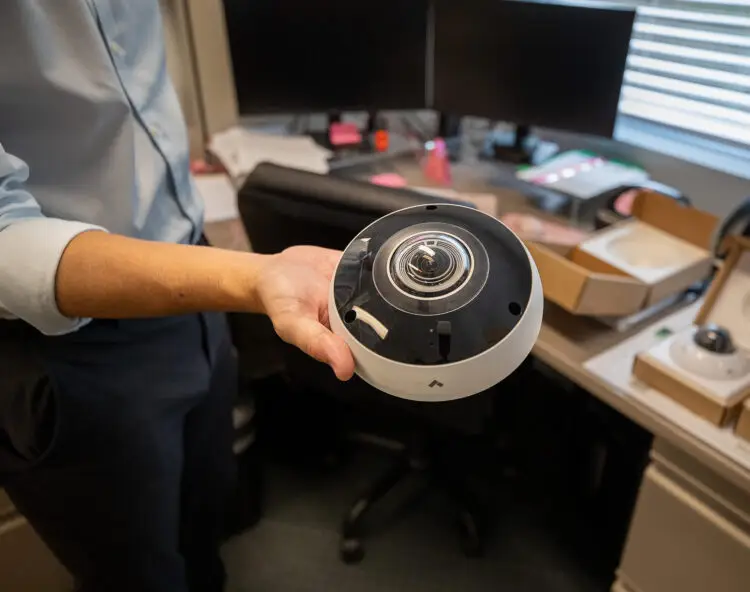
Verkada takes a different approach: each camera is its own recorder. Solid state storage inside the camera holds 30 to 365 days of footage depending on the model, so there is no recorder box, no server closet, and no hard drives to maintain. Each camera needs just one power over ethernet cable, and everything is managed from the Verkada Command web dashboard on any browser or phone.
Two numbers stand out to the business owners we work with. First, in normal operation each camera sends only thumbnails and event data to the cloud, typically under 50 kbps, and streams full video only when someone is actually watching, so even a modest internet connection supports a full camera deployment. Second, Verkada cameras carry a 10 year hardware warranty, which covers the equipment for longer than most businesses keep any single technology purchase. If the internet connection is interrupted, the cameras simply keep recording to their onboard storage and sync back up when service returns.
Cloud vs DVR at a glance
| Traditional DVR or NVR | Verkada cloud cameras | |
|---|---|---|
| Where footage lives | Hard drives in the recorder box | Solid state storage in each camera |
| Onboard retention | Depends on drive size and camera count | 30 to 365 days per camera by model |
| Remote viewing | Through the recorder’s app or network setup | Any browser or phone through Verkada Command |
| Software updates | Applied manually to the recorder | Automatic from the cloud |
| Hardware warranty | Commonly 1 to 3 years | 10 years |
| Adding cameras | Uses an open channel on the recorder | Add a camera and license anywhere |
What AI detection adds
The biggest everyday difference is search. Verkada cameras recognize people and vehicles as they record, so you can search hours of footage in seconds: show every person in the loading area after closing, find the white truck that visited on Tuesday, or pull up everyone wearing a red shirt near the register. You can also set alerts for specific activity, like motion in a restricted area after hours, and get a notification on your phone the moment it happens. With a traditional recorder, finding the same moment means scrubbing through the timeline yourself, so this one feature often saves managers more time than everything else combined.
Managing cameras across the islands
For Hawaii businesses with more than one location, cloud management is especially practical. An owner on Oahu can check the Maui shop and the Kona warehouse live from one dashboard, review an incident from home, and share a clip with his or her team by text link. We support installations statewide from our five locations on Oahu, Maui, and the Big Island, so the people who install your cameras are the same local team that services them. Schools and government agencies can also purchase Verkada through our NASPO ValuePoint contract, which is one reason we cover the platform in depth in our guides to business security cameras in Hawaii and school security in Hawaii.
Which design fits your business
Both designs record reliably, and the right choice comes down to how you want to use the footage. A traditional recorder suits a single site where video is reviewed occasionally at the building. Cloud cameras shine when you want remote access, instant search, automatic updates, and one view across multiple locations. Either way, camera placement and coverage matter as much as the technology behind them.
If you would like a straightforward look at what would work well for your building, we offer a free security assessment. It is a friendly, no pressure conversation with a local team that will be here to support whatever you choose.