
Good cybersecurity is not a mystery. For most Hawaii small businesses it comes down to a short list of habits and tools that keep your accounts, your files, and your customer information exactly where they belong. Work through the list below and you cover the same ground that large companies pay entire departments to manage.
We have helped Hawaii businesses run their technology since 1997, with our own local team working from offices on Oahu, Maui, and the Big Island. This is the small business cybersecurity checklist we walk through with new clients, in plain language, in the order we recommend tackling it.
Here is the checklist at a glance, followed by what each item means and how to put it in place.
| Checklist item | What it gives you |
|---|---|
| 1. Multi factor authentication | Accounts stay yours, even when a password gets guessed |
| 2. Automatic updates | Software fixes install themselves |
| 3. Cloud backup with one copy off island | Files that survive anything that happens to the office |
| 4. Printer and copier security | Documents and scans stay private |
| 5. Short, regular team training | A whole staff that recognizes unusual requests |
| 6. A named IT point of contact | Answers before small questions grow |
Turn on multi factor authentication everywhere
Multi factor authentication adds a quick second confirmation, usually a tap on your phone, whenever someone signs in to email, banking, or cloud apps. Microsoft research found that this single step stops more than 99 percent of automated sign in attempts by anyone other than the account owner. It takes about an afternoon to switch on for a small office, and it is the best return on effort of anything on this list. Start with email and financial accounts, then roll it out to everything else.
Let your software update itself
Software makers publish fixes constantly, and modern systems can install them automatically. Turn on automatic updates for Windows and Mac computers, phones, and the apps your business runs on, and confirm your Wi-Fi router firmware is current. A device that updates itself closes known gaps the same week the fix ships, with zero effort from your staff. Our managed IT services handle this centrally, so every machine in the office stays current without anyone thinking about it.
Back up your data with one copy off island
The standard worth following is called 3-2-1: three copies of your data, on two different types of storage, with one copy kept somewhere else. For Hawaii businesses we add a local twist: make that offsite copy an off island copy. Hurricane season here runs June 1 through November 30 every year, and cloud backup places your files in mainland data centers automatically, so your business records are safe no matter what the weather does. Cloud backup for a small office typically takes an afternoon to set up and then runs quietly on its own, every night.
Include your printers and copiers in the plan
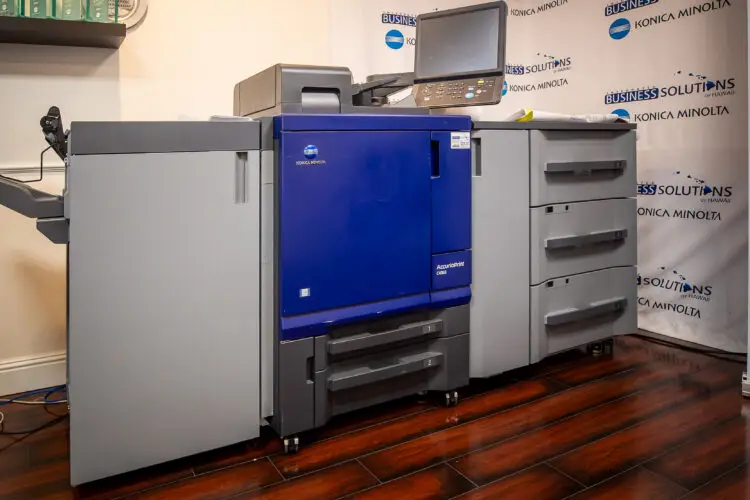
This is the item most checklists skip. A modern office copier is a network computer with a hard drive, and it deserves the same care as your laptops. The Konica Minolta bizhub machines we install include hard drive encryption and automatic data overwrite, so scanned and printed documents do not linger on the device. Adding PaperCut print management means print jobs release only when the person who sent them badges in at the machine, which keeps payroll runs and client files from sitting in the output tray.
Train your team a little, often
The strongest security tool in any office is a staff that pauses before acting on an unusual request. Short, regular conversations work better than one long annual session. Ten minutes in a monthly staff meeting covering one topic, such as how to verify a payment change request by phone, builds the habit. Keep it positive and practical: the goal is a team that feels confident, asks questions freely, and knows exactly who to call when something looks off.
How IBSH helps Hawaii businesses check every box
We are Integrated Business Solutions Hawaii, locally owned and serving island businesses for 28 years. Our own Hawaii based team delivers managed IT, cloud backup, and device security from offices in Aiea, Wailuku, and Kailua Kona, so support comes from a neighbor, not a mainland call center. Whether your business runs from one storefront or spans several islands, we can review this checklist with you, show you where you already stand, and set up whatever is missing.
Ready to see how your business measures up? Request a free technology assessment and our local team will walk through the full checklist with you, item by item.